MOD/01
Every broker. One surface.
See orders, positions, holdings, funds, and margin across your connected accounts without losing market context.
6 broker adapters · One normalized order model

Execute manual trades and automate strategies across every broker from one fast, focused command center.
NSE · Equity
₹2,955.75
+0.39%
Multi-broker
Manual + Algo
Live controls
One login · Your broker stays your broker
● 06 connections online


The execution surface
Xutra brings fragmented broker workflows into one consistent command language. The instrument stays central; the plumbing disappears.
24ms
Median interface latency
See orders, positions, holdings, funds, and margin across your connected accounts without losing market context.
Watch exposure and P&L update as the market moves. Modify or exit from the same screen that found the trade.
Build rule-based strategies visually, backtest the logic, then choose exactly when and where it can execute.
Broker credentials stay broker-side. Sessions are encrypted and revocable.
SECURITY MODEL / ZERO-CUSTODY
Ultra-fast backtesting
Fast backtesting is here. Turn years of market data into clear results before you blink, then refine and rerun without breaking your flow.
Backtest status
Results ready.
Strategy engine
Turn repeatable decisions into guarded workflows. Backtest the idea, define its risk, and keep a human override within reach.
NIFTY Momentum / v4
Paper deployment · NSE
Trigger
NIFTY crosses VWAP
Confirm
Volume > 20D avg
Protect
Risk ≤ 0.65%
Route
Best connected broker
A quieter second screen
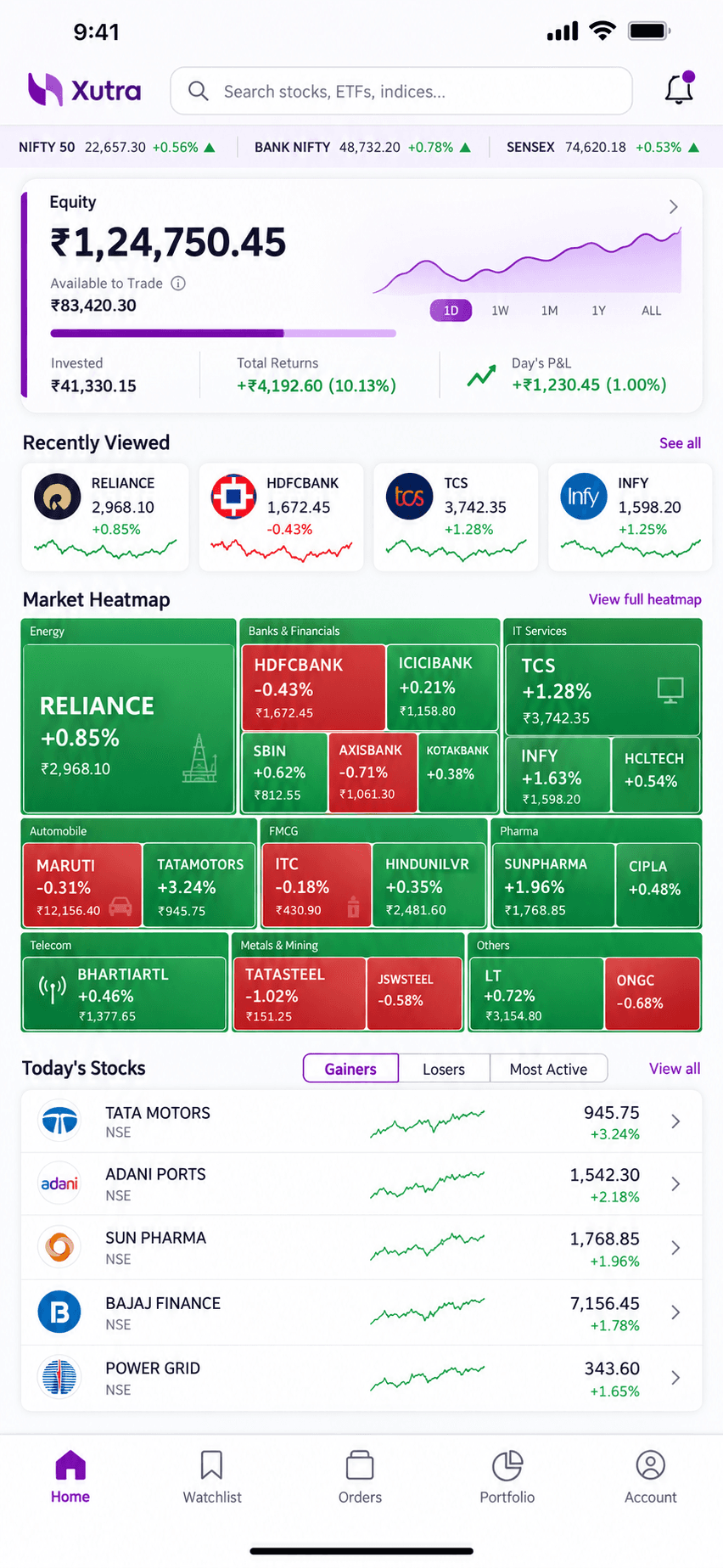
Monitor consolidated positions, receive strategy alerts, and take risk action from your phone without compressing the entire terminal into a tiny screen.
Portfolio P&L
Across every broker
Live alerts
Only what needs you
Quick controls
Exit, pause, protect
Built from market hours
Xutra is built by the team at Arkalogi after years spent connecting brokers, testing strategies, and supporting live trading workflows in Indian markets.
Security, safety & responsibility
Xutra brings broker accounts and trading workflows together. It does not remove market risk or replace your broker’s records and controls. Know what the platform does, what your broker controls, and what you need to monitor.
01 / TRUST
Xutra is a trading technology platform. Funds and securities remain in the broker accounts you connect.
02 / TRUST
Connect only the broker accounts you intend to use. Review broker permissions and revoke access through broker controls when needed.
03 / TRUST
Strategies can encounter rejected, delayed, or partial orders. Review live orders and positions with your broker, including during outages.
Frequently asked questions
Read the Terms & Conditions and Privacy Policy, or contact our team with questions.
No trading method is risk-free. An algorithm follows rules, but it cannot remove market risk, losses, execution delays, or unexpected behaviour. Understand a strategy and its risks before you enable it, and monitor the orders it sends.
No. Xutra does not guarantee profits, returns, or that a strategy will perform as expected. Backtests and past performance are not a promise of future results. You make the decisions about what to connect and run.
No. Xutra is a technology platform, not a stockbroker, investment adviser, depository participant, or custodian. Orders are routed through the broker account you authorize, and your broker holds your funds and securities. See the Terms & Conditions for details.
Broker API credentials let Xutra connect to the broker services you authorize. Treat API keys and secrets like passwords: do not share them, use them only for the intended account, and revoke or rotate them through your broker if you suspect exposure. Disconnecting a connection may not revoke credentials at the broker, so check the broker’s own controls.
No. A submitted order can be delayed, rejected, partially filled, or left pending. Market movement, liquidity, price limits, broker checks, exchange rules, and connectivity can affect the final result. Confirm order status in the broker’s order book, especially for multi-leg strategies.
No. A consolidated view does not pool funds or margin. Each broker account has its own balance, permissions, margin checks, and positions. Do not assume funds or hedge benefits in one account are available in another.
Do not assume that pausing or stopping a strategy closes positions or cancels pending orders. Check the broker’s order book and positions, and use the broker’s controls to manage any remaining exposure. Follow the documented behaviour of the specific Xutra feature you use.
Keep access to your broker’s own app or website and know how to check and manage orders there. If the platform or API is unavailable, verify the actual order and position state directly with the broker before taking further action.
Yes. Broker API access, static IP requirements, supported order types, and applicable exchange requirements can change. Check current instructions with your broker and make sure your setup remains eligible before relying on automated execution.
Your next session starts here
Bring your brokers, strategies, and risk controls into one focused system.